When the sales look good
Am I making more money,
or just selling more?
Ask ChatGPT about your sales and gross profit. See what changed, compare the numbers and find the products that deserve a closer look.

Your till has the numbers. Put them to work.
Understand your profit, see across your shops and make your next order with the reasons in front of you.
A walkthrough using fictional shop data.
What’s selling? What’s actually making you money? And what do you need to order?
Connect your till. Then ask ChatGPT how each shop’s doing.
Sales are up. So why’s profit down?
More than one shop? See the whole picture, and where you’re needed.
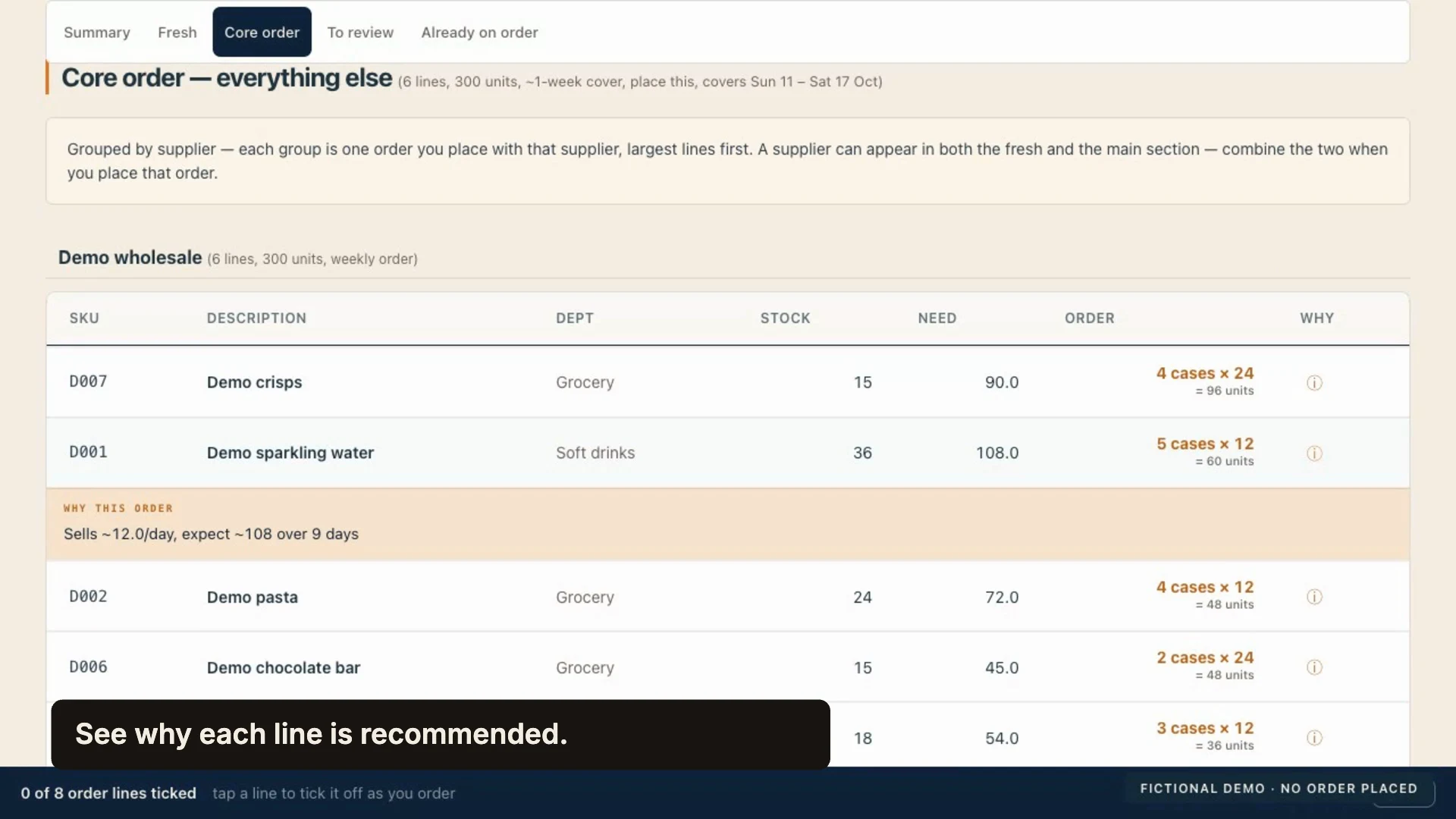
Time to order? See what to buy, in supplier cases. It checks your stock and incoming deliveries, and flags anything that needs a closer look.
You know your shop. You make the final call. V3CT0R retail.
Start with the questions that matter
When the sales look good
Ask ChatGPT about your sales and gross profit. See what changed, compare the numbers and find the products that deserve a closer look.
When you’re running several shops
Bring your shops into one view. Compare performance, stock and margin, then look into the shop that needs you. Start with the whole picture.
Before the supplier call
What’s likely to sell? What’s already on the shelf? What’s coming in?
The order engine brings those numbers together and suggests quantities in supplier cases. You see the reasoning and the lines that need checking before you make the call.
You know your shop. You make the final call.
Built around the shop you already run
We start with the sales, stock and cost data your existing ePOS system can provide. Then connect it to the reports, questions and order workflow your shops need.
Confirm what your ePOS can export and how it stays up to date.
Check the numbers and recommendations against what you know.
Use the overview, ask questions and review the next order.
A few practical questions
We start with your existing system. On the first call, we check what sales, stock and cost data it can provide and what it will take to connect it.
Yes. The estate overview brings shops together so you can compare performance and decide where to look next. Each shop keeps its own stock and order view.
The engine suggests an order and highlights what needs review. You check it and make the final call.
No. The film uses fictional shop data in the reporting portal and ChatGPT to demonstrate the workflow.
Tell us about your shops
The supplier call. Checking margins. Getting a clear view across sites.
Let’s start with the job you want off your plate.